
When AI first showed up in design work, a lot of us started by seeing it as a “tool” — a tool to help write copy, summarise research, brainstorm ideas, find references, build moodboards, generate images, or just get a project moving faster.
And that's not wrong. In many situations AI genuinely lightens the load, especially work that starts from a blank page, work that needs several options tried, or work that means organising a big pile of information.
But after using AI for a while, you start to see that if you treat it as just a tool you “command and wait for output,” the work may be faster — but it isn't enough.
Sometimes the answer is too tidy.
Sometimes it's too confident.
Sometimes it writes well, but it isn't the brand's voice.
Sometimes the solution looks reasonable, but doesn't fit the real user's context.
Sometimes the work looks complete, but is missing something a human should feel.
That's why AI as a design collaborator is more interesting than AI as a design tool — because a collaborator isn't someone who does it for you, it's someone who thinks alongside you.
Opening new angles
Asking questions
Offering options
Helping you iterate faster
Helping you see what you might have missed
But in the end, the designer still has to choose, decide, refine, and own the result.
In Lyssna's UX Design Trends 2026 report, which surveyed 100 UX, UI and product designers:
(Lyssna UX Design Trends 2026)
These numbers reflect what many teams are actually facing. AI isn't far away anymore — the bigger question is how we use it to make design work better, without losing the designer's judgment.
The problem isn't AI — it's how we use it
AI doesn't strip away the human touch automatically. It's using AI without thinking that makes the work go flat.
If we throw in a broad prompt and use the first answer as-is, the result is usually the average of everything AI has seen. It may look correct, read smoothly, feel complete, and seem usable — but it may carry no weight of real context.
For example, ask AI for onboarding copy and it might write something like:
“Welcome to your personalized wellness journey.”
It reads nicely, but the questions are: do our users actually talk like this? Does our brand? What is the person opening the product feeling right now — do they want inspiration, or just to know what to tap next? Does this line help them understand, or make them feel further away?
This is where the designer still matters a lot. AI can produce options fast, but the designer has to read the context, the people, the business, the constraints, and decide what fits and what doesn't.
In UX/UI we don't only design what “looks good” — we design things that have to carry people toward some goal. So the question isn't just what AI can do, but where AI helps us decide better, and where we still need to slow down and think for ourselves.
Use AI as a thinking partner, not the final answer
For me, the framing that helps most is treating AI as a “first-round thinking partner” rather than a “final answer.” AI is great when we want to open up the space of ideas — when we're not sure which angle to start from, want to see several options, need a big chunk of data summarised, want help spotting edge cases, want it to question a flow, try a few levels of tone of voice, or just want a first draft to edit.
But after that, the designer's job is to curate.
Keep what's right
Cut what isn't
Push back, adjust the wording
Compare against user need, brand, business goal, and the team's real constraints
If AI generates 10 options, the most valuable thing may not be picking one of them as-is — it may be seeing what pattern those 10 share, and how to step away from that average. Because good design doesn't come from having the most options, but from choosing the one that fits the context best.
In UX research: AI can summarise, but mustn't replace listening

One place AI is very useful is UX research — transcribing, grouping feedback, summarising patterns, finding themes across many interviews, drafting a discussion guide, comparing answers across user groups, or producing a faster first draft of a research summary.
But the thing to watch is that AI can make us “feel like we understand the user” when we haven't actually listened enough. Because listening to a user isn't only the words they say.
There's the hesitation
the tone, the context
the things they skip
the things they say quietly
and the things they don't say outright
For instance, a user says “it's… fine, I guess.”
“It's… fine, I guess.”
positive feedback
not sure yet — just being polite, or didn't understand but didn't want to ask
These are nuances AI may catch partly, but shouldn't be the one deciding for us. Google People + AI Research lays out guidance for human-centered AI design, stressing that building an AI product isn't only about technology — it's about understanding people, context, expectations, and the system's responsibilities (Google People + AI Research / PAIR Guidebook).
So in a research workflow, AI should be the one helping you organise, not the one declaring the whole truth. The safer way is to let AI draft, then have the designer always check back against the raw data.
- Did AI over-summarise beyond the data?
- Is there a quote that got lost?
- Was an important small-group voice drowned out?
- Is there a pain point AI saw as minor that actually hits hard?
- Is there an insight that sounds good but doesn't have enough evidence yet?
AI can make things faster — but speed shouldn't make us listen to real people less.
In ideation: AI opens paths, but the designer picks the direction

AI is great at helping generate options — ask for 5 onboarding flows, empty states in several tones, feature ideas, extra research questions, clearer category names, several layout directions, or a wireframe critique from a beginner's view. These really cut the friction of getting started.
Research on UI/UX designers and AI during divergent thinking found that designers see AI as a creative partner that helps with research, kick-starting creativity, generating design alternatives and exploring prototypes — while still valuing control, collaboration, and using AI to add efficiency without losing creativity (Beyond Automation: How UI/UX Designers Perceive AI as a Creative Partner in the Divergent Thinking Stages).
For me, AI is great for “opening the drawers” of thought. Sometimes we don't use what it suggests directly, but its suggestions help us realise:
this one isn't it
this one's close
this one's interesting but too busy
this one won't work for this user group
or this one shows an angle we hadn't considered
Seeing the answers that aren't right helps us move closer to the one that is. But if AI leads the whole direction, the work can drift toward looking like a “generic product,” because AI tends to pull from common patterns — while real products tend to be specific: a specific user group, specific constraints, a specific brand voice, a specific market, a specific dev team, and behaviours that actually happen in that one organisation. So AI can open paths, but the designer has to pick the direction.
In UI design: AI helps with variations, but taste is still human
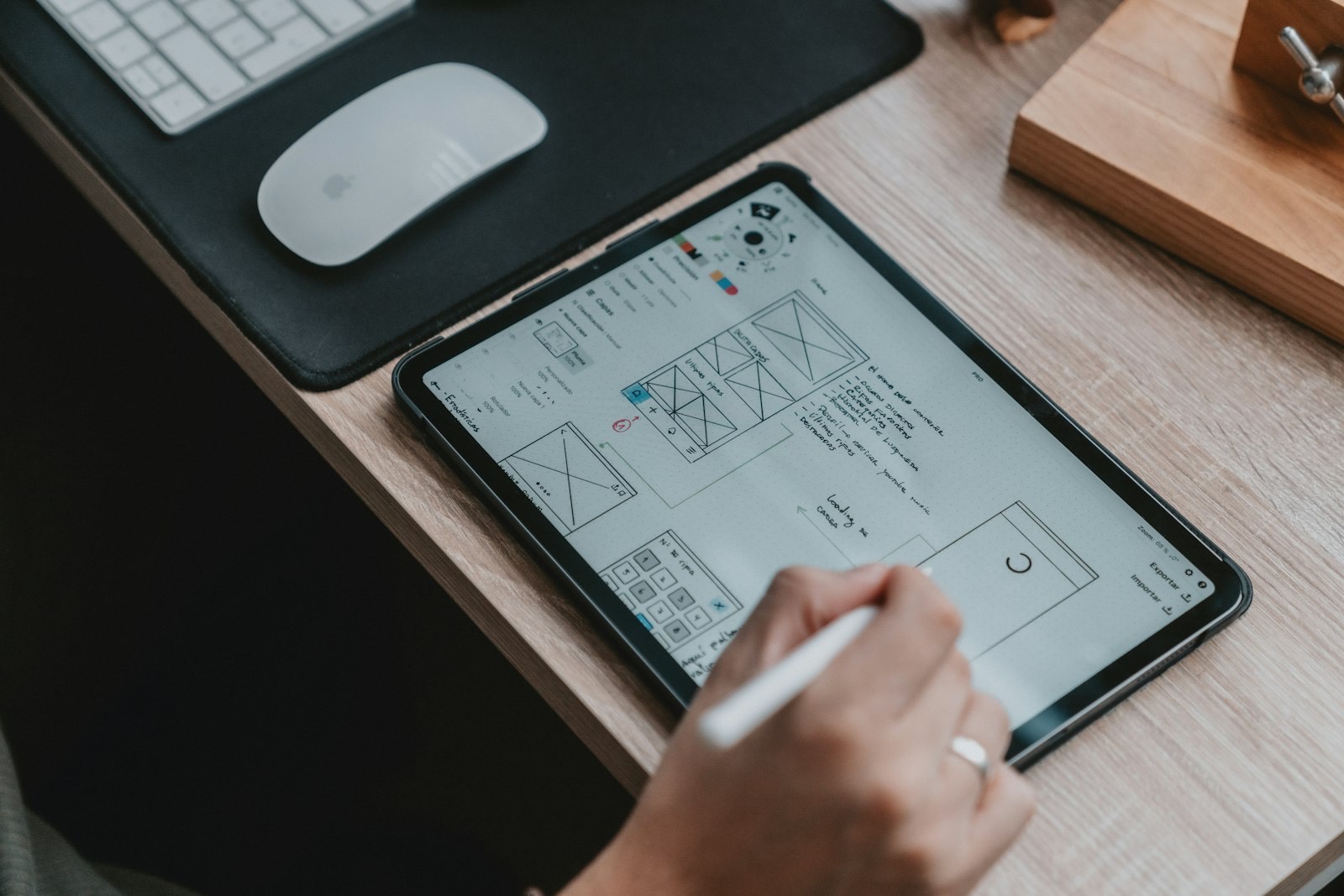
In UI work, AI helps a lot with variations — colour directions, layout directions, component states, content hierarchy, design tokens, moodboards, image styles, or several visual directions. But what AI still struggles to replace is taste tied to context.
“Taste” in design doesn't only mean “I like this one.” It's a decision that folds many things together.
What fits the user, what fits the brand
What dev can actually build on
What looks good today but dates fast
What's beautiful in a hero but breaks in a form
What looks premium but is hard to read
What's cute but wrong for work that needs trust
This is the designer's judgment. AI can help us see visual options faster, but it doesn't know what that client gave feedback on before, what constraints the dev team has, or which patterns real users are used to.
Especially for work tied to real systems — CRM, ERP, healthcare, finance or enterprise software — looking good isn't enough. We have to think about real data, real states, real errors, real permissions, real empty states, real loading, and the user who actually uses it every day. AI can mock it up, but the designer has to make it actually work.
Human touch doesn't mean banning AI
When people hear “human touch,” they sometimes assume we must use less AI, or go back to doing everything by hand. But human touch isn't about whether we use AI — it's about whether we still put human understanding into the work after using it.
It lives in the questions we choose to ask
in the words we choose to cut
in the explanation that doesn't make the user feel dumb
in the error message that doesn't blame them
in the empty state that isn't cold
in not adding AI everywhere just because it looks new
AI can draft copy, but the human touch is tuning it to sound like the real brand and fit the user's mood in that moment. AI can summarise insight, but the human touch is going back to see where that user hesitated and why a small voice matters. AI can generate UI, but the human touch is asking: does this screen make people feel more confident, or just look smarter?
For PMs and leads: AI needs a workflow, not a free-for-all

In a small team, AI use might start with everyone trying their own thing. But as the team grows, or there are clients, real data, deliverables, and privacy and quality risks, AI use should get a clearer workflow. Otherwise problems come easily: everyone uses AI differently, outputs pull in different directions, copy slips out of tone, insights get summarised without checking raw data, client data gets pasted into a tool no one vetted, or stakeholders see AI working fast and expect design to be fast without thinking.
So a PM, lead or design manager's role isn't just to say “you can use AI.” It's to help define where it's used, what for, and how it's checked. Guidelines a team should have, for example:
- Use AI to explore, but design decisions must have a reason behind them
- Use AI to summarise research, but check back against the raw data
- Use AI to draft copy, but it must pass brand voice and UX-writing review
- Don't paste confidential client data without a policy that allows it
- Output that ships needs a human review
- If AI makes a recommendation, separate what's data from what's assumption
- If AI is used in a product that affects users, think about transparency, consent and fallback
The NIST AI Risk Management Framework talks about managing AI's risks to individuals, organisations and society — which, in product terms, means AI shouldn't be used without bounds, but with clear ways to manage risk, responsibility, and review (NIST AI Risk Management Framework).
Put simply, AI shouldn't be a toy everyone uses quietly with no standard — it should be a team capability with a frame, with someone reviewing, and someone accountable.
How to use AI in UX/UI without losing the human touch
If I had to make it practical, I think there are 7 things that help a lot.
- Start from the problem, not from AI
Don't ask “where should we add AI?” Ask “where do users get stuck, and can AI really reduce that friction?” Sometimes what the product needs isn't AI — it's a clearer label, a shorter flow, or better information architecture.
- Use AI to add options, not to think less
AI generates fast, but the designer shouldn't stop at the first answer. Use it to open options, then bring your judgment back in: which fits the real user, which looks good but is hard to use, which is too close to a generic pattern.
- Let AI critique the work, not just do the work
Have AI review a flow from a fresh user's view, find edge cases, ask questions like a PM, look from accessibility or developer handoff. Sometimes it's most valuable when it asks a question you hadn't asked.
- Don't let AI own the brand voice
If you use AI for copy, give it samples of the brand's voice, words that are on/off limits, the user's context, and the goal of that moment — not just “make it friendly,” because friendly means something different for every brand.
- Always check insight against evidence
Especially in research synthesis, don't treat an AI summary as the final truth. Go back to the transcript, notes, quotes, or real behaviour. People have to judge which insight carries enough weight.
- Write an AI usage guideline for the team
Agree on which work can use AI, which data must never be pasted in, which output needs review, who approves, and where you still need 100% human judgment.
- Remember AI doesn't take responsibility for you
However much AI helps think, write or summarise, the person shipping the work is still you. If the copy misleads, if an insight is wrong because data wasn't checked, if the UI is pretty but unusable — you're accountable. AI can be a collaborator, but accountability stays human.
Good AI should make designers more human, not less
This may sound a little contradictory, but I think good AI should give designers more room to go back to what humans do best.
Listen to people more deeply
Ask better questions
Think more in systems
Talk with the team more clearly
Explain the reasons behind design decisions better
And have more time to polish the details
If AI lets us produce faster but we just spend the freed-up time shipping more and more without thinking any deeper, that may not be a great use of AI. But if AI takes the weight off repetitive work so we have time to look at the real flow, real users, real edge cases, and decide more deliberately — that's when AI becomes a genuinely valuable collaborator.
In short
AI in UX/UI shouldn't be seen as just a tool to work faster, and shouldn't be handed the role of deciding for the designer. The most interesting use is AI as a design collaborator — letting it open paths, ask questions, create variations, organise data, critique the work, and help the team iterate faster, while a human still steers, chooses, decides and takes responsibility.
Because design doesn't only need good-looking output — it needs judgment, context, empathy, taste, and real understanding of people. As AI does more and more, what makes a designer valuable may no longer be doing everything by hand, but knowing what to let AI help with, what to double-check, what to cut, and what needs a human heart to decide.
A note from Tarn
For me, the key question about using AI in design isn't only “what can AI do instead of us,” but “where do we still leave room for a human to decide.”
Because however fast AI helps think, write, summarise or generate options, design still needs people who understand the context, the constraints, the brand's voice, and the user's feeling in that exact moment.
AI may give us more answers, but the designer still has to choose which answer should be used, which should be cut, and which still needs polishing to feel more human. For me, that might be the interesting new role of a designer in the AI era — not someone who does everything by hand, but someone who knows how to ask, what to filter, what to trust, what not to, and how to be accountable for the final result.
In the end, AI may make design faster — but the human touch is what keeps the work feeling like “someone was really thinking about the people who use it.”
References
- Lyssna — UX Design Trends 2026
- Google People + AI Research — People + AI Guidebook / PAIR
- NIST — AI Risk Management Framework
- Beyond Automation: How UI/UX Designers Perceive AI as a Creative Partner in the Divergent Thinking Stages
- Investigating How Practitioners Use Human-AI Guidelines: A Case Study on the People + AI Guidebook
